How Vehicle Unlock Dates Work
Vehicle timing matters because a costly purchase can become outdated just a few in-game years later. Transport Fever 3 begins in 1900 and spans transport history into the 2030s and beyond, so new equipment appears as the calendar advances.
In a standard game, vehicles become purchasable according to their availability year. Depots show the options currently on sale, while vehicle information helps you compare speed, capacity, operating cost, and cargo compatibility before committing to an upgrade.
The game includes road vehicles, trams, locomotives, railcars, wagons, ships, aircraft, and helicopters. A new model is not automatically better for every route: a faster vehicle may need better track, road capacity, runway space, or enough demand to justify its upkeep.
| Period | What changes most | Planning priority |
|---|---|---|
| 1900-1919 | Early motorized road transport and steam rail remain important | Build compact routes and protect cash flow |
| 1920-1949 | Stronger rail options, diesel technology, and early aviation arrive | Separate freight and passenger needs |
| 1950-1979 | Buses, trucks, and modern rail expand quickly | Replace weak links, not every vehicle |
| 1980-2009 | Faster rail and higher-capacity urban vehicles become available | Improve terminals and route throughput |
| 2010-2029 | Modern electric vehicles and late-era road vehicles appear | Balance efficiency, capacity, and network congestion |
| 2030 onward | The technology timeline continues beyond the main historical range | Optimize the fleet you already have |
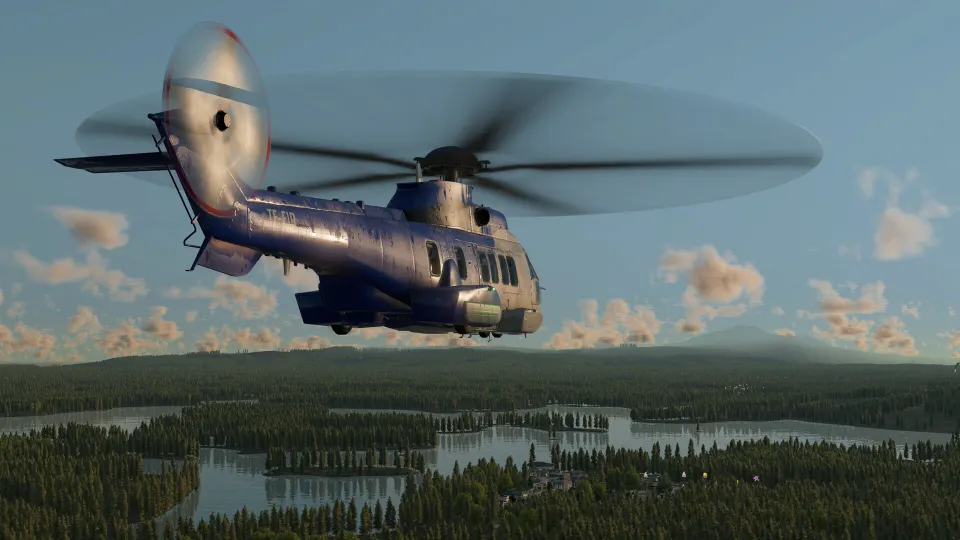
Important Unlock Dates by Vehicle Type
The best way to use unlock dates is to treat them as a purchasing calendar, not a command to replace everything immediately. Check a vehicle's role first. A local bus, a long-distance coach, and a city tram can all carry passengers, but their best routes are very different.
Passenger road vehicles offer a clear example of gradual progression. Early buses are slower and smaller, while later models improve capacity, speed, or both. That does not make an older vehicle useless on a short, frequent stop-and-go route.
| Passenger road vehicle | Available from | Capacity | Top speed |
|---|---|---|---|
| Droshky | 1892 | 4 | 17 km/h |
| Stagecoach | 1896 | 6 | 20 km/h |
| L'Obéissante | 1905 | 6 | 25 km/h |
| Postbus ET 13 | 1913 | 8 | 30 km/h |
| Daimler Deck Seat Car | 1919 | 12 | 35 km/h |
| Yellow Coach Model W | 1925 | 10 | 40 km/h |
| Saurer Tüscher | 1939 | 10 | 50 km/h |
| AEC Routemaster | 1954 | 25 | 60 km/h |
| Mercedes-Benz O303 | 1974 | 15 | 90 km/h |
| Mercedes-Benz eCitaro | 2019 | 20 | 70 km/h |
| King Long Merry Combo | 2029 | 22 | 120 km/h |
Cargo vehicles follow the same principle. The earliest choices are suitable for short connections and low volume. As trucks gain speed and capacity, they become more effective feeders for rail, ports, and factories rather than replacements for every rail freight line.
| Cargo road vehicle | Available from | Main use | Capacity |
|---|---|---|---|
| Small Horse Carriage | 1885 | Early local cargo | 4 |
| DMG Canstatt | 1890 | General cargo | 5 |
| Benz Tarpaulin Truck | 1912 | General cargo | 7 |
| Opel Blitz Dump Truck | 1935 | Bulk materials | 14 |
| Opel Blitz Tank Truck | 1935 | Liquid cargo | 14 |
| Saurer C Type Tank Truck | 1942 | Liquid cargo | 13 |
For rail, pay attention to locomotives and wagons separately. A new locomotive can improve acceleration, power, and top speed, but a train may still be limited by its wagons, track, station layout, or the volume waiting at industries.
Upgrade Your Fleet Without Wasting Money
A vehicle unlock is a decision point, not an emergency. Replacing a whole line immediately can drain funds, especially if the previous vehicles still have years of useful service and the new fleet does not solve a real bottleneck.
Use this quick review before buying a newly unlocked model:
- Check whether vehicles are regularly full or leaving cargo behind.
- Compare annual cost against added capacity and actual trip frequency.
- Confirm that roads, rails, stations, and depots can support the upgrade.
- Keep older equipment on low-demand branches when it remains profitable.
- Upgrade the busiest routes first, where faster turnaround creates more revenue.
- Avoid buying a new vehicle shortly before another important option is due.
The table below gives a practical approach to common milestones. It is intentionally about network choices rather than telling every player to follow one fixed replacement schedule.
| When a new option appears | Buy now when... | Wait when... |
|---|---|---|
| Faster bus or truck | The current line is full, delayed, or losing customers | Stops are close together and speed gains are small |
| Larger truck | A factory or terminal has persistent cargo queues | The route lacks enough cargo to fill the added capacity |
| Stronger locomotive | Trains struggle on grades or cannot maintain line speed | Wagons, signals, or track are the real bottleneck |
| New passenger wagon | Platforms are crowded and trains leave riders behind | Demand is uneven and current trains have empty seats |
| Modern electric vehicle | Its operating benefits fit a busy, long-lived route | Infrastructure costs outweigh the savings |
| High-speed train | Cities are far apart and the line can be built straight | The route has tight curves, short spacing, or weak demand |
Do not overlook route frequency. Two modest vehicles running reliably can serve a local line better than one expensive vehicle with long waits between departures. Conversely, a high-demand intercity line may need fewer, faster, higher-capacity vehicles to keep travel times competitive.
Infrastructure should be upgraded in the same order as demand. Simple track suits slower local services, standard track supports stronger intercity operations, and high-speed track is most valuable where trains can maintain speed over long distances. Placing a modern train on a constrained line usually produces a disappointing return.
Sandbox and Long-Term Fleet Access
If you want to build a modern network immediately, use the game’s sandbox options before beginning a career. Sandbox Mode allows the date to be set forward, making later-era vehicles available without waiting through the historical timeline.
To retain equipment that would otherwise disappear from depot menus, enable the No End Year option as well. This is useful for creative builds, museums, mixed-era railways, or maps where you want horse-drawn vehicles alongside late-era trains.
A typical all-vehicle sandbox setup is:
- Start a new game with Sandbox Mode enabled.
- Enable No End Year if you want older vehicles to remain purchasable.
- Set the in-game year to a late date, such as 2040.
- Build around the traffic and demand you intend to simulate, not just the newest depot listings.
Sandbox changes the pacing, but it does not remove the economic logic of the simulation. High-speed rail still needs suitable track, aircraft still need routes long enough to justify them, and oversized buses still waste money on lightly used lines.
For a standard progression save, the more satisfying approach is often to save money before a major era shift. That gives you the freedom to modernize the routes that genuinely need it while keeping the rest of your company stable.
FAQ
What are Transport Fever 3 vehicle unlock dates?
They are the in-game years when specific vehicles become available to purchase. Standard games begin in 1900, with additional transport technology appearing as the calendar advances into the 2030s and beyond.
Do all vehicles unlock automatically?
Yes. In normal play, eligible vehicles appear when their availability year is reached. You do not need to complete a research tree to unlock them.
Should I replace vehicles as soon as a new one appears?
Usually, no. Replace vehicles when the upgrade improves a profitable route enough to cover its purchase and operating costs. Older vehicles can remain useful on quieter services.
How can I unlock every vehicle immediately?
Start a sandbox game, move the date to a late year, and enable No End Year if you also want older vehicles to remain available for purchase.